
Dental clinic management software: what is really needed, what works and what doesn't
A complete guide for clinic managers: what dental practice management software actually needs to do in 2026, what existing solutions do well, and where they break.
In this article
One question before we talk about software at all: how much money did your clinic lose last month from last-minute cancellations that were never filled?
Most clinic managers don't know. Not because it isn't important — because the information is scattered across a calendar, WhatsApp, and a waitlist in Excel, and nobody's cross-referencing them.
That's the real problem. Not a shortage of tools — you probably have too many tools. The problem is that none of them talk to each other, and the gap is costing you money you aren't even measuring.
What dental clinic management software needs to do in 2026
Before choosing a vendor, it's worth understanding what a modern dental practice actually needs. Not a feature list — a complete workflow.
Calendar and appointment management — and not just a calendar. A calendar synced across every dentist, showing treatment rooms, supporting drag-and-drop, and running a smart waitlist that offers freed-up slots to waiting patients. Automatic WhatsApp and SMS reminders that go out on their own, without your receptionist needing to remember. A patient cancels? The calendar updates instantly, and the next patient on the waitlist gets a message.
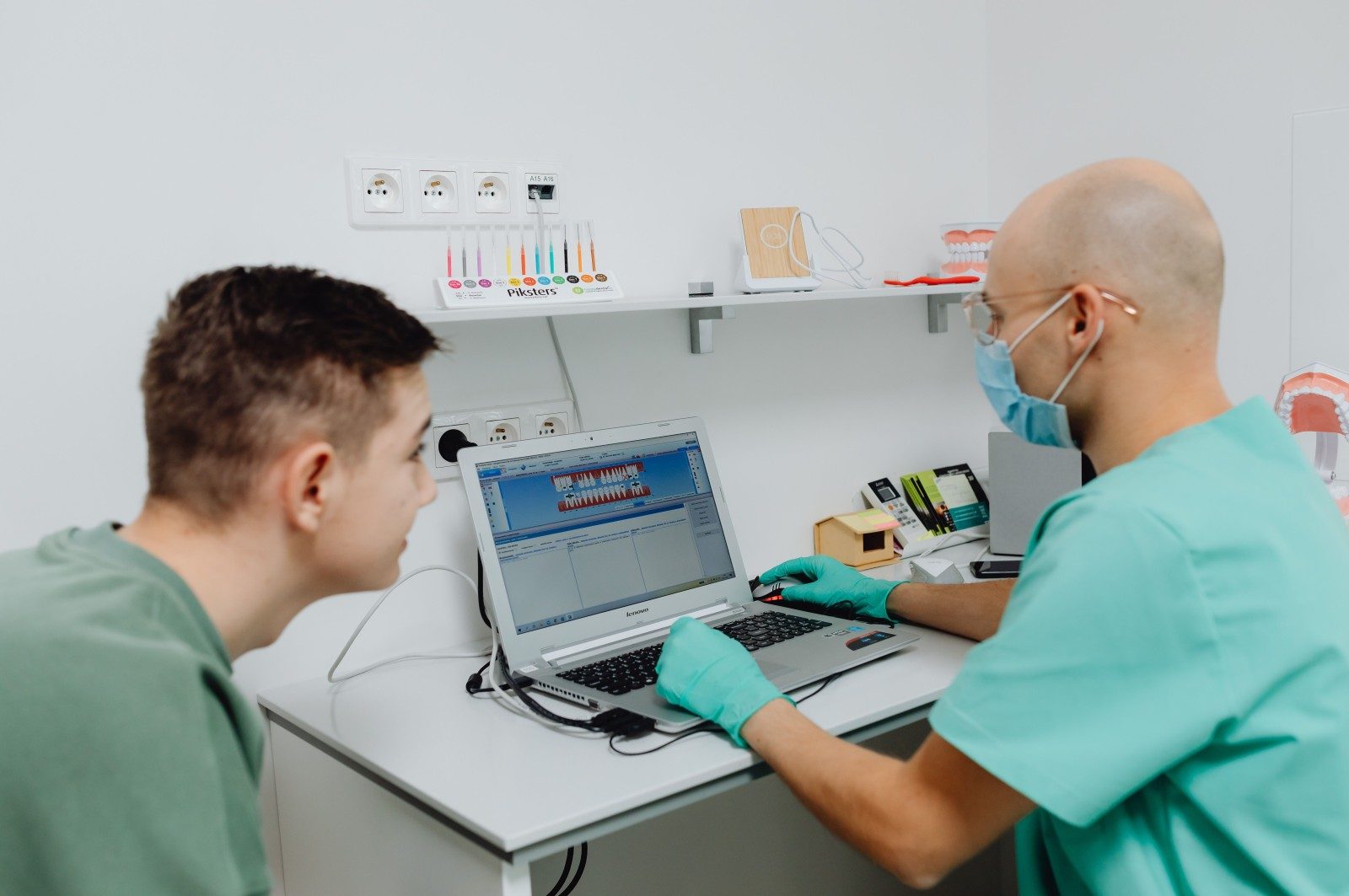
Full patient chart — medical history, allergies, regular medications, X-rays, treatment plans, graphical tooth status (odontogram). All in one place. The dentist opens the chart and sees everything — not jumping between three systems to check whether a patient is allergic to penicillin before prescribing antibiotics. For dentistry specifically: tooth-level treatment tracking, follow-up on multi-stage treatment plans that span months, and X-ray images linked to the relevant tooth record.
Billing and collections — invoices issued automatically after every treatment, card processing, open-debt tracking, receipt issuance, and payment breakdowns by treatment plan. And in Israel in 2026, that means integration with Greeninvoice or iCount, compliance with the Israeli Tax Authority's "Invoice Israel" requirements, and EMV-grade card processing. Without these — you're doing the work twice.
Patient communication — appointment reminders, follow-up on incomplete treatments, post-surgery check-ins, and reminders for periodic exams. Not manual — automatic. A patient who finished gum surgery gets a message two days later asking how they're doing. A patient who skipped a follow-up in their treatment plan gets a reminder after a week. Nobody has to remember.
Reports and analytics — how many new patients this month? What's the cancellation rate? How many last-minute cancellations? Which treatments are most profitable? What's the conversion rate from initial consultation to treatment plan? Without reports, you can't manage a clinic — you can only operate it. And when generating reports requires copy-pasting from four different systems, nobody prepares them. Result: decisions get made on gut feel, not data.
All of these need to work together. Not as five tools with five passwords — as one system. And that's where the differences start.
What existing solutions do well
Let's be honest. The leading solutions in the market do a lot of things right.
Medform is built as a cloud system with a digital odontogram, X-ray integration, built-in CRM, and AI support for clinical documentation. It's approved by the Israeli Ministry of Health and works for clinics that need to meet regulatory standards. For basic-to-intermediate clinic management, it's a solid solution.
RapidOne offers a dental module with appointment management, billing, and medical records. The advantage: phone-system integration and reporting capabilities. For a 1–3 dentist clinic that doesn't need heavy customization, it works.
SmileCloud brings a clean interface, smart calendar, WhatsApp appointment confirmations, and invoicing. ISO certifications for medical data security. The advantage: simplicity and fast setup. A new clinic can connect and start working in days.
There's also Tifulit, Doctor Clinix, and others — each with its own strengths. The short version: if what you need is a calendar, patient charts, and basic invoicing — good solutions exist.
Where these solutions break
And here we need to be honest in the other direction too.
Flexibility ends fast. Every off-the-shelf system offers a fixed workflow: lead → appointment → treatment → invoice. But a real dental clinic doesn't work like that. There are patients with multi-stage treatment plans that run for months. There are cases that require health-fund approval before starting. There are clinics working with outside partners — labs, specialists — that need to coordinate between them. The software doesn't understand your workflow? You start working around it. Spreadsheets, WhatsApp, sticky notes.
Israeli accounting integration — partial only. Some systems offer Greeninvoice or iCount integration, but at a basic level: just invoice issuance. What about automatic debt tracking? Payment reminders? Two-way customer data sync? In most cases, it's still manual work.
Patient management — up to a point. The odontogram is there, the medical chart is there, but when you want to add custom fields — say, tracking a specific implant brand, or logging referrals to outside specialists — you hit a wall. The system doesn't allow it because it wasn't built for your workflow.
Generic reports. Everyone offers reports. Question: does the report you actually need — for example, "how many patients started root canal treatment last month and didn't book a follow-up" — exist? In most cases, no. Because that report requires logic tailored to your workflow. What you get instead is a standard "how many appointments this week" report — information that doesn't help you make business decisions.
Support that disappears after the sale. You buy a system, get two hours of training, and then — tickets answered within 48 hours. If something breaks on a Friday afternoon, you're alone. And if you need a change? "Open a ticket, we'll get back to you." The system is live, patients are waiting, and you're waiting for a support rep who doesn't know your specific setup.
Scale that hits a ceiling. A solo-dentist clinic that grows to three dentists and two branches discovers that the system it bought — which worked great for one dentist — doesn't handle permissions properly, doesn't separate branches, and doesn't allow consolidated reporting. Instead of one system, there are two separate installations that don't talk to each other.
"Approved by the Ministry of Health" isn't an advantage — it's the entry bar. A vendor selling you regulatory approval as a feature is basically telling you they meet the law, which is the minimum you should expect, not something to be impressed by. The real question isn't "are you approved?" but "what happens when my workflow doesn't fit your template?" To the first question, everyone says yes. To the second, most vendors go quiet.
Off-the-shelf vs. custom — what the difference actually looks like
| What a real clinic needs | Off-the-shelf | Custom system |
|---|---|---|
| Multi-stage treatment plan (running for months) | Fixed workflow, barely fits | Built around the workflow |
| Custom fields (implant type, external referrals) | Works up to a point, then wall | No limits |
| Greeninvoice / iCount integration | Usually invoice-only | Debt tracking, reminders, two-way sync |
| Report by your logic ("root canal without follow-up") | Generic reports only | Report built to your question |
| Multiple branches and permissions | Often two separate installs | One system, branch separation built in |
| Post-launch support | Ticket, 48-hour response | Engineer who knows the clinic in depth |
| Time to start | Days | 4–6 weeks for phase one |
| Cost | Low subscription, fine for simple workflows | Higher retainer, justifies itself for complex ones |
When custom beats off-the-shelf
Not every clinic needs a custom system. A small clinic with one dentist and a receptionist, working a standard workflow — an off-the-shelf system will work fine. No reason to overcomplicate.
But there's a point where off-the-shelf stops working. It happens when the clinic grows, adds dentists, opens a branch, or realizes its processes are different from what the software offers. That's the moment you start working around the system — and then, in practice, you're back to Excel and WhatsApp.
Dental clinic management software built around the workflow of the specific clinic — rather than around a template — solves this at the root. You don't adapt the work to the system. The system adapts to the work.
When the system is built that way, everything is connected from the start: the lead comes in, the calendar updates, the WhatsApp reminder goes out, the invoice is issued, and the manager sees a single dashboard with all the numbers. No copy-paste. No jumping between screens. No "I forgot to update it."
And there's one more thing an off-the-shelf system doesn't offer: a long-term partnership. In the standard model, you buy software, get training, and the relationship ends. In the custom CRM model, there's an engineer who knows the clinic in depth. Changes roll in without new price quotes. And after the system is live, there's a 24/7 ops panel with tickets, an AI WhatsApp agent trained on your specific system, and notifications for every update and fix. Not "trust us." Full transparency.
Retainer, not project
Most Israeli software firms work on a project model: closed quote, setup fee, scope locked upfront. The problem? A clinic that's constantly changing — new dentist, new workflow, new regulatory requirement — can't work with a locked scope. Every change requires renegotiation, another quote, and sometimes months of waiting.
The retainer vs project model is different: fixed monthly retainer, no setup fee, and payment only after phase one is built, tested, and working. New phases, new features, new processes — all roll in under the same payment. No renegotiating every change. And if the clinic wants to stop? You can stop any month.
This doesn't fit every clinic. But for a clinic that knows it's going to grow, that knows its processes will change, and that needs a technology partner rather than a one-off contractor — this is the difference between a system that works long-term and a system abandoned after six months because "it isn't what we ordered."
Why clinic management in Israel is different
A few things global systems don't get:
Clinic management in Israel requires full Hebrew, RTL support, integration with Israeli accounting tools, compliance with Israel Tax Authority requirements ("Invoice Israel"), and WhatsApp-based communication — not email. An Israeli dental clinic running American or European software quickly discovers that SMS appointment reminders don't perform like WhatsApp reminders, that invoices don't meet local requirements, and that support during Israeli hours simply isn't available.
There are also regulatory issues: medical record retention, privacy requirements (Amendment 13), digital prescriptions. A system not built with an understanding of the Israeli market will force you into expensive, complicated workarounds.
Clinic software built in Israel, in Hebrew, with an understanding of the local market — that's an advantage you can't import.
FAQ
How long does dental clinic software take to implement?
Off-the-shelf — usually days to a week. Custom — phase one typically takes 4–6 weeks, but you start working with it immediately. Additional phases roll in afterward.
Does custom software work with Greeninvoice and iCount?
Yes. A custom system is built around the tools you already use — not as a replacement for them. WhatsApp Business integration, Israeli accounting tools, X-ray software — all part of the build.
What's the difference between off-the-shelf and custom dental software?
Off-the-shelf offers a fixed workflow that works for many clinics. Custom is built around the specific workflow of your clinic — including fields, reports, automations, and processes that match exactly how you work.
What happens when something needs to change after the system is live?
In the retainer model, changes roll in under the same monthly payment. No new quote. How we work → full explanation of the process.
Can you migrate from off-the-shelf to custom without losing data?
Yes. A planned migration is part of phase one. Existing data — patients, history, treatment plans — moves to the new system. The key is to plan it upfront and not "rush" without mapping what exists.
How do we know if our clinic needs custom or off-the-shelf?
Simple test: are you already working around your current system? If you're managing things in Excel because "the system doesn't allow it," if there are processes you do manually because there's nowhere to log them, if the reports don't give you what you need — you're already past the point where off-the-shelf is enough.
Next step
Want to see what a system like this looks like for a dental clinic? 20 minutes on a call — we'll map your workflow, from the moment a lead comes in to when the invoice goes out, and show you exactly what can be built. No commitment. No setup fee. No massive quote upfront.
<script type="application/ld+json"> { "@context": "https://schema.org", "@type": "FAQPage", "mainEntity": [ { "@type": "Question", "name": "How long does dental clinic software take to implement?", "acceptedAnswer": { "@type": "Answer", "text": "Off-the-shelf systems usually take days to a week. A custom system's first phase typically takes 4 to 6 weeks, but you start working with it immediately. Additional phases roll in afterward." } }, { "@type": "Question", "name": "Does custom dental software work with Greeninvoice and iCount?", "acceptedAnswer": { "@type": "Answer", "text": "Yes. A custom system is built around the tools you already use, not as a replacement for them. WhatsApp Business integration, Israeli accounting tools, and X-ray software are all part of the build." } }, { "@type": "Question", "name": "What's the difference between off-the-shelf and custom dental software?", "acceptedAnswer": { "@type": "Answer", "text": "Off-the-shelf software offers a fixed workflow that works for many clinics. Custom software is built around the specific workflow of your clinic, including fields, reports, automations, and processes that match exactly how you work." } }, { "@type": "Question", "name": "What happens when something needs to change after the system is live?", "acceptedAnswer": { "@type": "Answer", "text": "In the retainer model, changes roll in under the same monthly payment with no new price quote. See the full explanation of the process at <a href=\"https://www.alcyone14.com/how-we-work\">how we work</a>." } }, { "@type": "Question", "name": "Can you migrate from off-the-shelf software to a custom system without losing data?", "acceptedAnswer": { "@type": "Answer", "text": "Yes. A planned migration is part of phase one. Existing data including patients, history, and treatment plans moves to the new system. The key is to plan it upfront and map what exists before migrating." } }, { "@type": "Question", "name": "How do we know if our clinic needs custom or off-the-shelf software?", "acceptedAnswer": { "@type": "Answer", "text": "Simple test: are you already working around your current system? If you manage things in Excel because the system doesn't allow it, do processes manually because there's nowhere to log them, or your reports don't answer your actual questions, you're past the point where off-the-shelf is enough." } } ] } </script>