
App development for business: three doors to one room
Before you ask for a quote, check what the app needs to connect — and whether it is even the right door.

In this article
In a team conversation someone picks up a phone and shows an app from another business: "We need one of those too." A week later a quote for app development arrives, and the bottom line shows one number — with nothing to compare it to.
The position is simple: an app is usually the last door worth building, not the first. Before asking for a quote, sort out the room the business already works in: who inquires, what happens next, where documents are kept and how you know what is still open.
Three doors and one room: the decision made before ordering app development
Before ordering app development, define the process that the customer or employee needs to enter. The business can open a door to it through messages, through a website or form, or through an app; each option has different uses and limits.
In an equipment installation office, the operations manager writes an inquiry on a board: customer name, address, need and visit date. In another business, the inquiry is typed into an existing customer management system, but the visit details are kept in a separate calendar and the document is sent in a WhatsApp group. The first works without a central system, and the second already pays for software. Both get stuck when the inquiry needs to become a task, be updated after the visit and reach an invoice.
The room is the whole process: the inquiry, the details, the responsibility, the documents and the current state. The door is the way someone enters the process or moves forward in it. A beautiful door to a room where nobody knows who is responsible for the request just moves the confusion to a new screen.
Three doors, one room. This is the model worth taking to a meeting with developers. Instead of asking what the app will look like, ask which action must be easier, for whom and at which stage.
If the process requires an interface for users that is connected to the data and the operations, you can read about a business platform that combines an app, a portal and a dashboard. Even then, choose the door according to the work and not according to what is easy to demonstrate.
When an app is the right door — and when WhatsApp, a website or a form do the job more cheaply
Start with the simplest channel that lets a person perform the action without help and without losing information. An app is justified when there is frequent repeated use, when the action needs a capability of the device, or when the work needs to continue even without a continuous connection to the network.
A message or WhatsApp
In a cleaning business that receives requests from customers, a message is a natural way to find out what is needed, get a photo and coordinate a date. There is no need to force every customer to install something in order to ask a question or move a meeting.
The difficulty starts when the conversation is also the customer file. Another employee does not know what was promised, and the request stays without an owner or a handling date. You can leave the conversation in WhatsApp, but move the task and the status to a system that centralizes the work.
Website or form
In a training center, a form fits registration, collecting details and choosing a track. A good website explains and supports the occasional action, also for someone who does not know the business.
It fits less when the user needs to work on records every day, get personal updates or keep a sequence of tasks in the field. Here too, the question is not whether an app can be built; it is whether the website leaves a vital action unanswered.
App
An app may be the right choice when the user returns to it again and again, when the action requires a camera or location, or when the work must continue in areas without reception. These are operational needs, not a reason to copy another business's product.
Even then, check whether a phone-friendly website or a secure form will be enough. Developing an app for a business adds installation, updates and dependence on app store rules. A tool for employees may work well in a browser; a rare action for a customer does not necessarily justify installation.
Ask to describe the action from start to finish: who starts it, what information is needed, what happens when a field is missing, who receives the request and what confirms the handling is done. If the answers are not clear, it is not yet time to choose screens.
What is in the room: the leads, the operations and the documents the app must talk to
A business app must connect to the information and the process that already run the business, or replace them on purpose. If it creates another copy of customers, tasks and documents, it becomes another room instead of a door to the existing room.
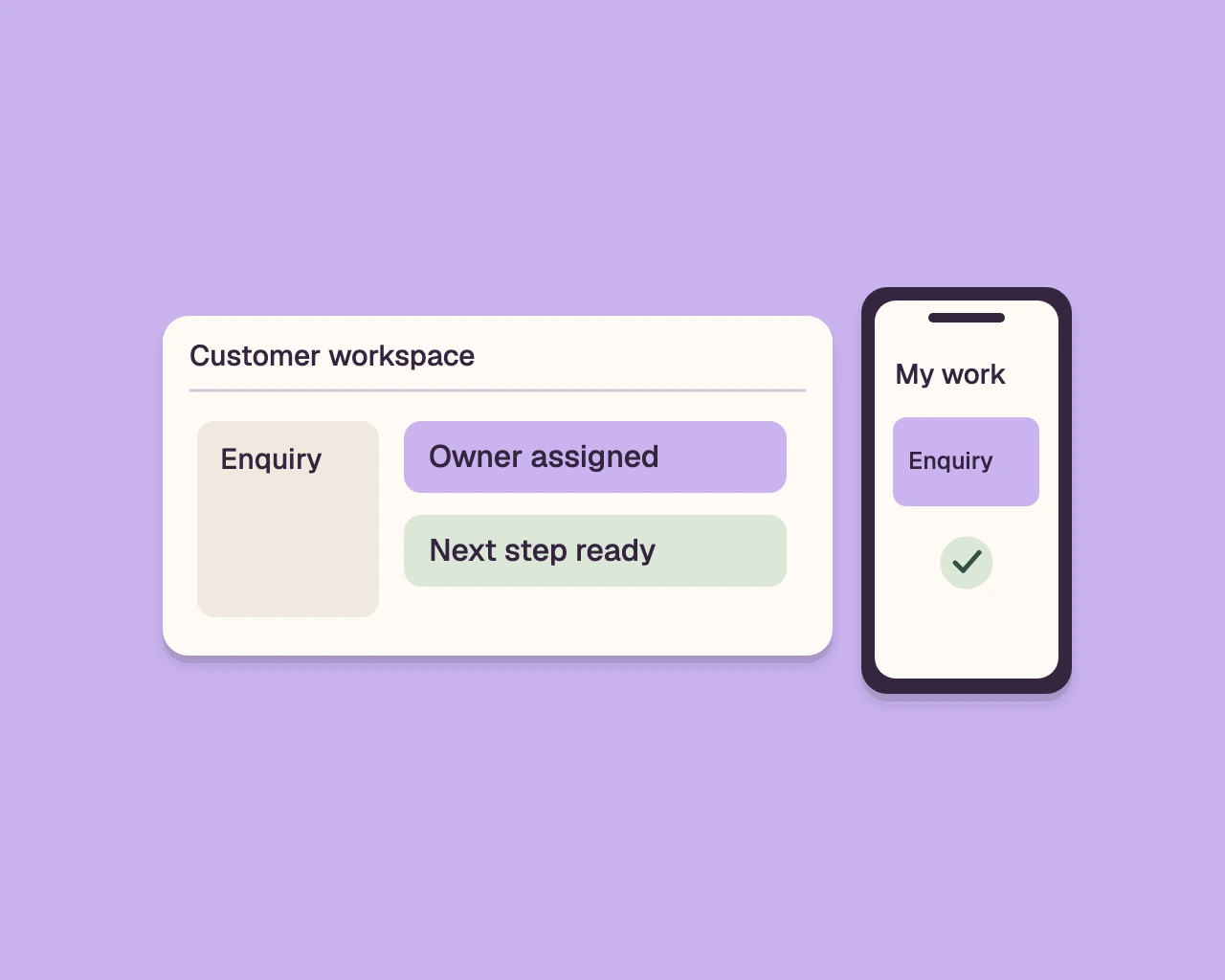
In a brokerage office, an inquiry may come from a sign, a call or a form on the website. After that, someone needs to know who followed up, which property was offered, whether a visit was set and what was sent to the customer. When the app is not connected to the customer record and the tracking board, the agent records the same action twice. Later, each person looks at a different screen and believes their information is correct.
Before the requirements document, write down the information the business uses: contact details, the source of the inquiry, the type of service, the owner of the file, the next task, documents and the handling status. Next to each item, note who updates it, at which stage, and who needs to see it. Distinguish between data entered once and a document that needs to be attached, approved or sent.
Check the exceptions too. A returning customer with the same phone number; a missing address; a document uploaded twice; an employee absent; a request closed and then reopened. A system that handles only the convenient path will work nicely in a demo, and leave the exceptions to the team.
If the difficulty is registering and tracking customers, check what changes when choosing a custom CRM or SaaS software. If the problem is dividing tasks, responsibility and deadlines, read about what a project management system should manage. Sometimes that is the missing door; an app is not the only solution.
Four types of business apps — and why each is built, budgeted and fails differently
The type of app determines who uses it, who is responsible for it and which failure disrupts the work. A customer-facing interface is not the same product as a tool for field workers, so quotes should not be compared without first identifying the user and the process.
A customer-facing app allows tracking a request, coordination, viewing documents or renewing a service. The service or sales manager needs to own the process. The common failure is building screens for customers, but leaving the team to handle things manually behind the scenes. The customer then sees a status that looks current, while employees manage a different status.
An app for field workers accompanies a technician, courier or installer outside the office. The operations manager defines the work order, the information needed, the attached documents and the update at the end. The failure can happen in a place with weak reception, or when the worker cannot save partial work and continue later. Define what must work without a network and what can wait.
An app for internal operations helps the team open tasks, approve actions and identify what is stuck. The operations manager or process owner defines permissions and exceptions. If the tool is not connected to customers, documents and the accounting system, the team gets another screen instead of a reliable source of work.
A website wrapped in an app displays website content inside a shell that looks like an app. It may be enough to display existing content, but if it has no action that requires installation or use of a device capability, it adds maintenance without clear benefit. A shell does not solve a business process by itself.
Each type has a different decision maker, scope of work and risk. Ask who will approve the process, who will check actual usage and who will update the information after launch. Without answers, the quote is not ready.
Native, cross-platform or web app: what determines the build cost and the maintenance year
The choice between an app for one operating system, a cross-platform app and a web app depends on what the user must do. It affects the scope of the build, the maintenance and the capabilities that can be added later.
An app for one operating system is built specifically for iOS or Android. It fits when deep integration with device capabilities or specific behaviour is required. Supporting two systems requires planning tests and updates for each one. Ask for a breakdown of the device capabilities that are included and what requires additional work.
A cross-platform app uses a shared build base and provides versions for more than one system. It may reduce duplication, but it does not remove testing on devices, adjustments for the stores or handling differences between systems. Ask what happens when a required capability is not supported the same way in every system.
A web app opens in the browser and is updated on the site side. It sometimes fits a customer portal or an internal work tool, and does not require installation from a store. Compared with an installed app, certain device capabilities may be limited; offline work depends on the design. A screen on a phone does not by itself require an app from the store.
Where the cost of app development hides
The cost is not set by the name of the technology alone. It depends on the processes, the users, the permissions, the connections to systems, the documents, the tests and the requirement to work offline. A requirements document for an app that lists only screens leaves the real work outside the quote.
After the build, adjustments for operating systems, store updates, hosting, handling faults and change requests may be required. Ask to separate a fix of an action that was agreed from a new feature that was not included. Also ask what cannot be added without changing the structure and what will require a new component.
Check a real scenario: the operating system was updated, a user cannot upload a document, and a field worker needs to finish a visit with no reception. Who tests, who reports and what is included in the maintenance? An answer like "we'll take care of it" does not clarify what is included. Also a project management system that defines a process and responsibility starts with the question of who sees the work and who moves it to the next stage.
The decision document: the seven sections every app requirements document must include — the full template
A good decision document describes work, users and boundaries before development begins. Answer all the questions, and send the same document to everyone who offers app development.
1. The problem and the action that needs to change
- What happens today from the moment the request arrives until it is closed?
- At what stage does information get lost, recorded twice or wait for approval?
- Which single action should the system let the user perform?
- How will you know the action was performed correctly, without attributing to the system an outcome that is not in its control?
2. The users and their roles
- Who are the users: customers, office staff, managers or field staff?
- What can each role see, add, change and approve?
- Who opens a record, who takes responsibility and who may close it?
- What happens when a user changes role or leaves the business?
3. The process and the exceptions
- What are the work stages in order, and what causes the move from stage to stage?
- Which fields are required at each stage, and which are optional?
- What happens when a detail is missing, the customer cancels, the document is rejected or the request comes back?
- Who gets an update when a task is waiting, and when does it return for handling?
4. The information and the existing systems
- Which details and documents are kept for each customer, request or task?
- Where are they today: a customer system, a spreadsheet, email, WhatsApp or another system?
- Which system is the up-to-date source for each type of information?
- Which connections are required, who provides access and how do you check that the information moved correctly?
5. The door and the required capabilities
- Who will enter through a message, a form on the website, a browser or an installed app?
- Which action requires a camera, location, a notification or access without a network?
- Which devices and operating systems must be supported?
- What will happen if the user does not install an app or is not connected to the network?
6. Tests and acceptance
- Which scenarios will be tested before launch, including exceptional cases?
- Who approves that the information, the permissions and the documents appear in the right place?
- What counts as a fault and what counts as a change in the process?
- Who may stop the launch if a vital action still does not work?
7. Operation after launch
- Who is responsible for maintenance, system updates and checking user reports?
- What is included in the ongoing work, and what counts as a separate change request?
- Who holds the accounts, the storage and access to the code, and what is kept in each system?
- How do you export the business's data if the engagement ends, and in what format?
The document does not need to guess a solution in advance. When there is no answer, state that the section is open and ask the proposers to present their assumption. That way a quote does not hide a decision that has not yet been made.
How to compare three quotes that have no common basis
Don't compare the bottom line until every quote addresses the same scope and the same acceptance terms. Ask every app development company to answer the decision document, mark assumptions, and separate build, maintenance and additions.
| What to compare | What to ask each bidder | What breaks without an answer |
|---|---|---|
| Scope and process | Users, screens, stages and exceptions included | Similar quotes that solve different jobs |
| Integrations and information | Systems, data, documents and permissions | Duplicate work and outdated information |
| Testing and acceptance | Test scenarios and who approves them | An argument over whether the product is done |
| Code and access | Who holds the code and the accounts, and what can be received | Unclear about changes and operation |
| After launch | Maintenance, hosting, updates and faults | Ongoing costs that surface late |
| Scope changes | How a change is approved and priced | A dispute around every addition |
| Data at the end | Which data leaves, in what format and for how long | Loss of useful business information |
Don't settle for the answer "everything is included." Ask for details: is adding a field to a form considered a change? Is an operating system update included? Who handles an integration that fails? Even an answer that a certain action is not included helps, if it appears in advance.
Code, accounts and business content are separate things. Make sure who operates each account, under what terms the code is accessed, and what can be exported at the end of the work. In an engagement with a system provider, the system software may belong to the provider, while the client's data stays theirs and is available for export for thirty days after the engagement ends. Ask for a separate answer for each of the assets, and not a vague phrasing about "ownership."
Also ask for a demonstration of a full process, including a situation where a document is missing or an employee returns a task for correction. A presentation of perfect screens doesn't show what happens when the work goes off track. A clear quote details what will be built, what won't be built, who makes a decision and what will count as completion.
The year after launch: what breaks, what costs money, and who holds the code
An app needs care even after the first user enters it. Operating system updates, store rules, hosting and changes in the business process can affect the work, so you need to decide who handles each of them.
At a distribution company, a warehouse manager asks to add a photo of a damaged package to the delivery handover screen. The addition touches a field, permissions, storage and the place where the employee sees the image. If no one knows who approves the change and how it is tested, a simple request drags on or gets solved in a workaround.
Separate three types of work. Maintenance keeps what was already built running; a fix returns an agreed action to working order; a change adds a requirement or alters it. Ask the proposal to explain what is included in each type, how additional work is approved and how a completed change is reported. If maintenance is pushed off to "after launch", you still don't have a picture of the ongoing expenses.
Also check the dependence on the stores. An installed app may require submission, updating and testing against the platform rules. A website in a browser does not go through the same process, but still requires hosting, security and updates. Ask to specify in whose name the accounts were opened, who can publish a version and what happens if the store requirements change.
Make sure the system can be checked after a change: who reports a fault, how it is documented and how you see what was fixed. In a business system you can define secure login with a one-time code by email and a full activity log that shows who did what, when and from which address. Ask to see which actions are recorded and how the team uses the log.
If the system processes personal data, check how the design supports the business's obligations under the Israeli Privacy Protection Law (Amendment 13) and under GDPR. This is not legal advice. Ask which providers receive information, for what purpose and what is required of the business in the process.
Maintenance is not a decorative clause in the proposal. The difference between a monthly retainer and a one-time project can help you understand which arrangement suits operation and the changes you expect. Every proposal should explain who handles the system after delivery.
Where AI fits into an app — and where it only adds cost and risk
AI is useful when it shortens a routine task inside a defined process. Start with the action, the information and the person who will check the result; only then decide whether such a tool is needed.
In a service center, for example, the system can summarize a long inquiry, suggest a category or prepare a draft reply based on approved information. An employee must check the details before sending, especially when the reply creates a commitment or relates to a document. Define what information the tool may see and what happens when it is not sure.
Do not add AI to a path that has no owner. If an action can change a price, close a case or send a binding document, decide who approves it. A tool that drafts a reply but does not update a task, a customer and a status adds a layer without completing the work.
For a service business, a ready-made WhatsApp bot can suit fixed questions and simple routing. An AI agent based on the business's information and processes suits cases where understanding context or a defined action inside the process is needed. Check where the information is sent, who processes it, what is stored and how an employee takes over a conversation the tool cannot resolve.
Privacy is not an addition handled after development. Reduce the information the system needs, define permissions and check the suppliers' terms. For more on choosing practical uses, see how an AI chat for a business connects to the task.
A good app does not have to include AI. If a short form, a clear search or an automatic rule solves the same problem predictably, start with them. Add an AI tool only when it shortens defined work without creating a risk you do not know how to manage.
Before choosing a door, make sure the room is clear
A good quote starts with the process, the information, the users and the answer to the question of which action needs to change — not with the number of screens or the type of phone. When the decision document is ready, you can choose between a message, a website and an app and compare quotes on the same basis.
alcyone14 builds for businesses the system they need, around the way they already work, with AI built in that does the routine work, and keeps running and improving it as the business changes. If you want to examine one process before deciding on app development, start with a business platform that combines an app, a portal and a dashboard.
Frequently asked questions
What is better for a service business: an off-the-shelf WhatsApp bot or an AI agent built on the business's information and processes?
An off-the-shelf bot suits fixed questions and simple routing; an AI agent suits cases that need understanding of context or action inside the business process. Check which data is exposed, when a human approves an answer, and how the conversation moves to human handling.
Who can build one management system that connects leads, WhatsApp and operations?
A development company or a systems vendor can build such a system, if the source of information and the move from inquiry to task are defined in advance. Ask them to detail the connections, permissions, exceptions and tests, not just the screens.
Who builds a system for managing files, documents and client follow-up with AI built in for a law firm?
Look for a vendor that maps together the flow of files, documents, permissions and human review of AI outputs. Clarify which data goes to vendors and what the tool may do without approval.
How do you bring AI built in into customer service without harming information privacy?
Start with a defined task and pass the tool only the information it needs. Check who processes the information, limit access, define when human review is required, and do not pass sensitive information without proper review.
What happens after launch of a tailored system or an off-the-shelf CRM in terms of maintenance, fixes and adding capabilities?
After launch, updates, bug fixes and process changes may be needed. Ask to separate the three and clarify who handles each type, what is included, and how additional work is approved.
A system that fits the way you work?
Let’s talk about the workflows, team and tools you want to connect in your business.
Let’s talk about your system